I’ve spent most of my life working with things I could actually touch—heavy steel, hot iron, and tools that didn’t pretend to be something they weren’t. In a workshop, if your measurements are off by even a fraction, the whole project fails. Managing a team from a distance feels a lot like trying to weld in the dark; you can’t see the spark, and you certainly can’t feel the heat, which makes finding the best digital tools for remote team project management a matter of survival rather than just convenience. If you don’t have a solid framework in place, your workflow will crack under the slightest bit of pressure, leaving everyone scrambling to fix the mess.
I’m not interested in flashy software that looks pretty in a sales pitch but falls apart when the real work starts. I’ve gone through the digital equivalent of cheap, brittle scrap metal to find the gear that actually holds up. In the following seven points, I’m going to show you the specific tools that provide the structure and precision you need to keep your team aligned. We aren’t just looking for apps; we are looking for the digital anvils upon which your projects will be successfully forged.
Asana: The Organized Workbench
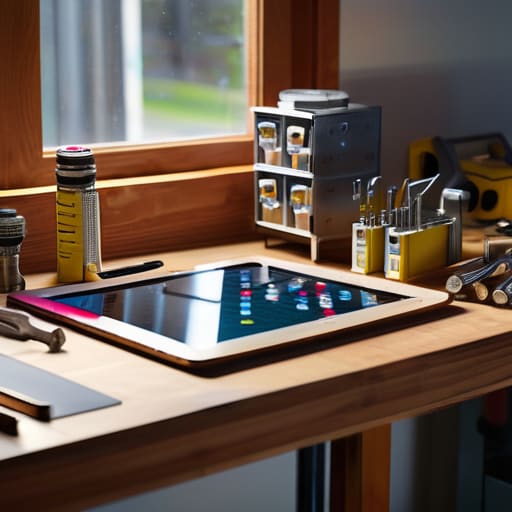
When you’re running a shop, you need to know exactly where every piece of material is and who’s responsible for the next weld. Asana works a lot like a well-organized workbench layout; it gives you a clear view of your tasks, deadlines, and who is holding the hammer. It isn’t just about making a list; it’s about seeing how one job flows into the next so nothing gets lost in the shuffle.
Trello: The Visual Blueprint
Some folks prefer to see their work laid out on a board, much like how I’d lay out a set of blueprints on a drafting table. Trello uses a system of cards and columns that makes it incredibly easy to track progress at a single glance. You can see exactly what’s in the “to-do” pile, what’s currently under construction, and what’s ready for final inspection.
Monday.com: The Heavy-Duty Framework
If your project is massive—something more akin to fabricating a bridge than repairing a toaster—you’re going to need a framework that can handle the weight. Monday.com is built for scale. It offers a high level of customization that lets you build out a workflow tailored specifically to your team’s unique operational requirements.
ClickUp: The All-in-One Toolchest
I’ve always believed that a good craftsman should have a tool for every specific task, but sometimes you want a single, sturdy toolchest that holds everything you need. ClickUp tries to be that one-stop shop. It combines tasks, docs, goals, and even chat into one single interface, which can save you a lot of time spent switching between apps.
Jira: The Precision Instrument
For teams working in software development or highly technical fields, Jira is the precision instrument of the bunch. It’s designed for those who need to track every single minute detail and bug with surgical accuracy. It’s a bit more rigid than some of the others, but that rigidity is exactly what prevents structural failures in complex digital builds.
Notion: The Master Logbook
Every old-school shop has a logbook where the specs, the history, and the lessons learned are all recorded. Notion serves that same purpose for a digital team. It’s a hybrid of a wiki, a document editor, and a project manager, allowing you to build a centralized knowledge base that grows along with your company.
Basecamp: The No-Nonsense Communicator
Sometimes, the biggest problem in a remote team isn’t the work itself, but the constant, distracting chatter that pulls you away from your craft. Basecamp takes a different approach by focusing on organized communication. It separates the “chat” from the “work,” so you aren’t constantly interrupted by meaningless notifications while you’re trying to focus.
Choosing the Right Tool for the Job
At the end of the day, picking a project management tool is a lot like selecting a new anvil or a set of calipers. You can spend all week reading reviews, but you won’t truly know if a piece of software works until you put it under a real load. Whether you lean toward the heavy-duty structure of Jira, the visual simplicity of Trello, or the all-in-one utility of Monday.com, the goal remains the same: you need a system that minimizes friction rather than adding more clutter to your workspace. Don’t get distracted by every shiny new feature or a flashy interface that promises the world; focus on finding the one that actually helps your team communicate without the constant noise.
Tools are just extensions of the hands and minds of the people using them. A digital platform won’t fix a broken workflow any more than a high-end hammer can fix a poorly designed blueprint. You still need to establish your processes, set your standards, and maintain the discipline to follow through on your commitments. If you treat these digital tools with the same respect and precision you’d give a piece of fine machinery, they’ll serve you well for years. Build your digital workspace with intention, keep your processes clean, and remember that the strength of the project always lies in the quality of the work, not just the software used to track it.
Now, I know what some of you are thinking—that managing a crew from a distance sounds like a recipe for chaos, and you aren’t wrong. It’s a lot like trying to keep a forge at a steady temperature when you aren’t standing right over the coals; if you lose sight of the small details, the whole project can warp. If you find yourself struggling to find the right rhythm or need to connect with folks who understand the local landscape while you’re coordinating these moving parts, sometimes you just need to look for those casual encounters perth style connections to get a sense of the ground you’re standing on. It’s all about building a foundation of reliable information before you start swinging the heavy hammer of decision-making. Don’t let the distance make you reckless with your planning.
